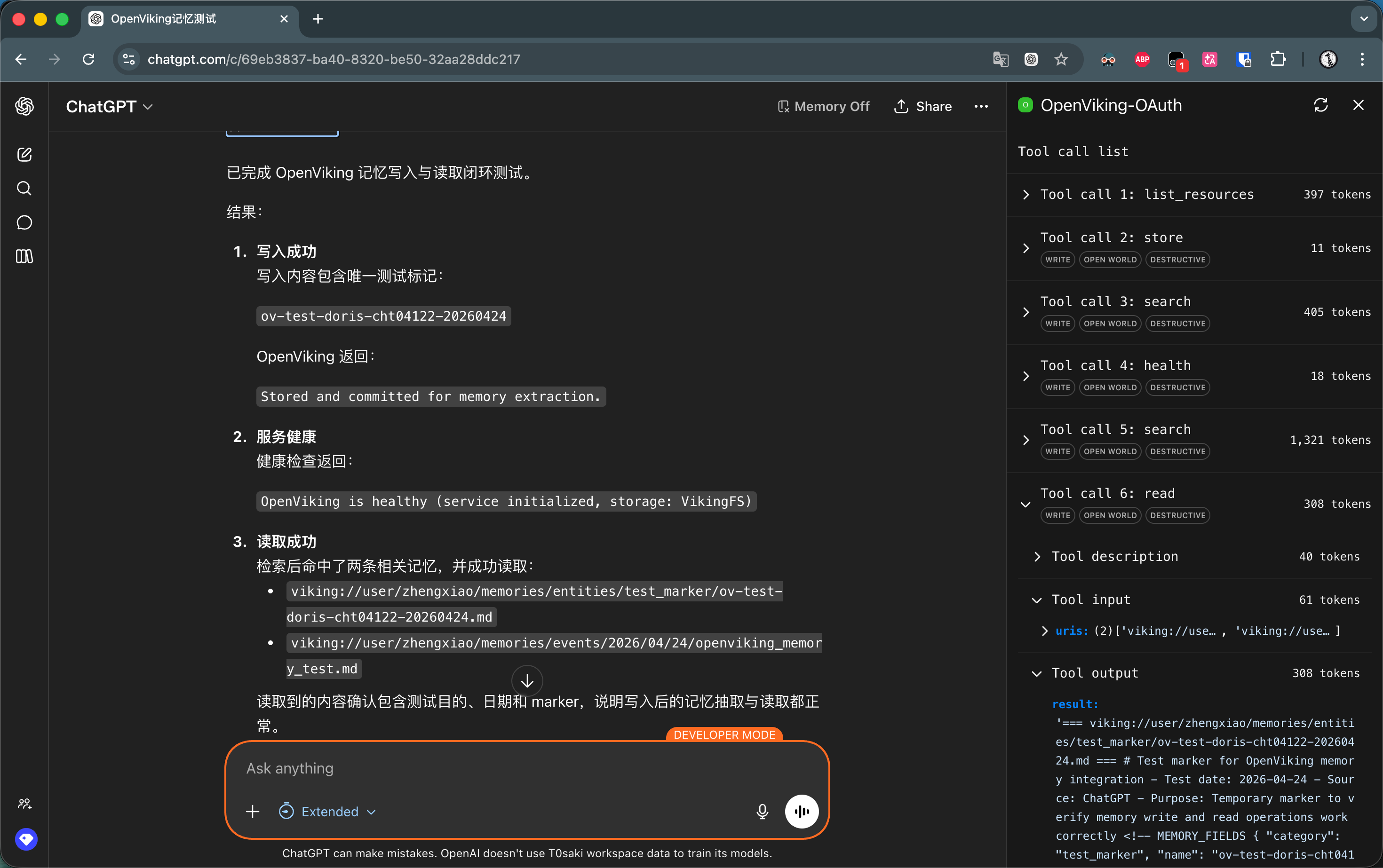
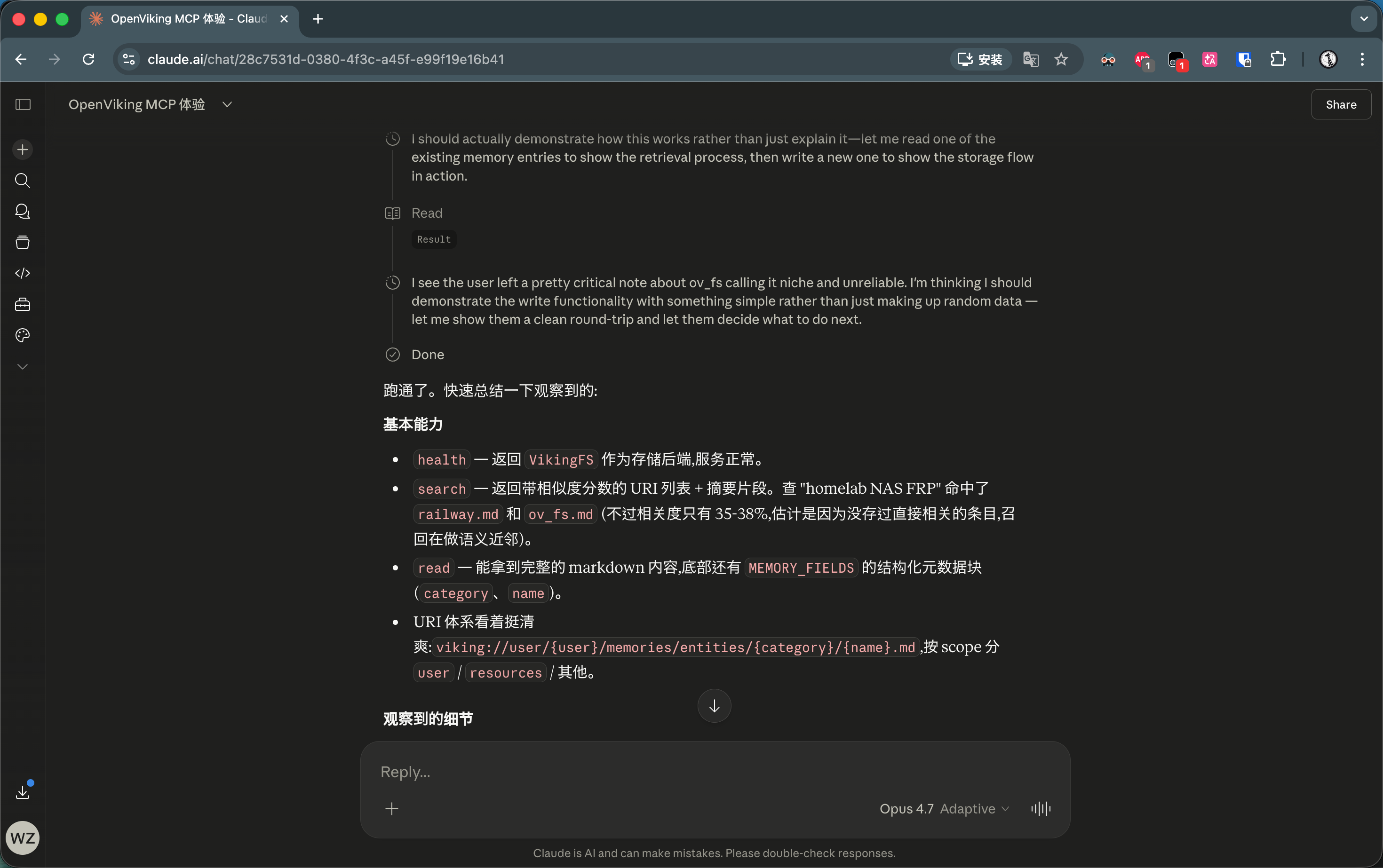
Recently, I’ve been contributing MCP (Model Context Protocol) code to OpenViking. OpenViking’s vision goes beyond being just a memory plugin for coding assistant — it aims to become an independent, comprehensive, and unified memory platform.
To achieve this goal, I built a complete MCP Server for it, exposing tools like search, read, store, and forget. Since the project didn’t yet fully support OAuth authentication, I took the easy route and reused its REST API’s Authorization: Bearer <api-key> header-based auth scheme.
At first, this wasn’t a problem at all. Cursor, Trae, Claude Code, Manus — all the mainstream coding platforms are very friendly to header auth. Just add one line to a config file and you’re done. But in OpenViking’s roadmap, conquering coding platforms alone isn’t enough. We wanted to seamlessly integrate with the much broader audience of ChatGPT and Claude’s web and desktop clients.
And then I hit a wall. Hard.
The Frustrating “Wall”
After doing some research, I found the situation painfully awkward:
-
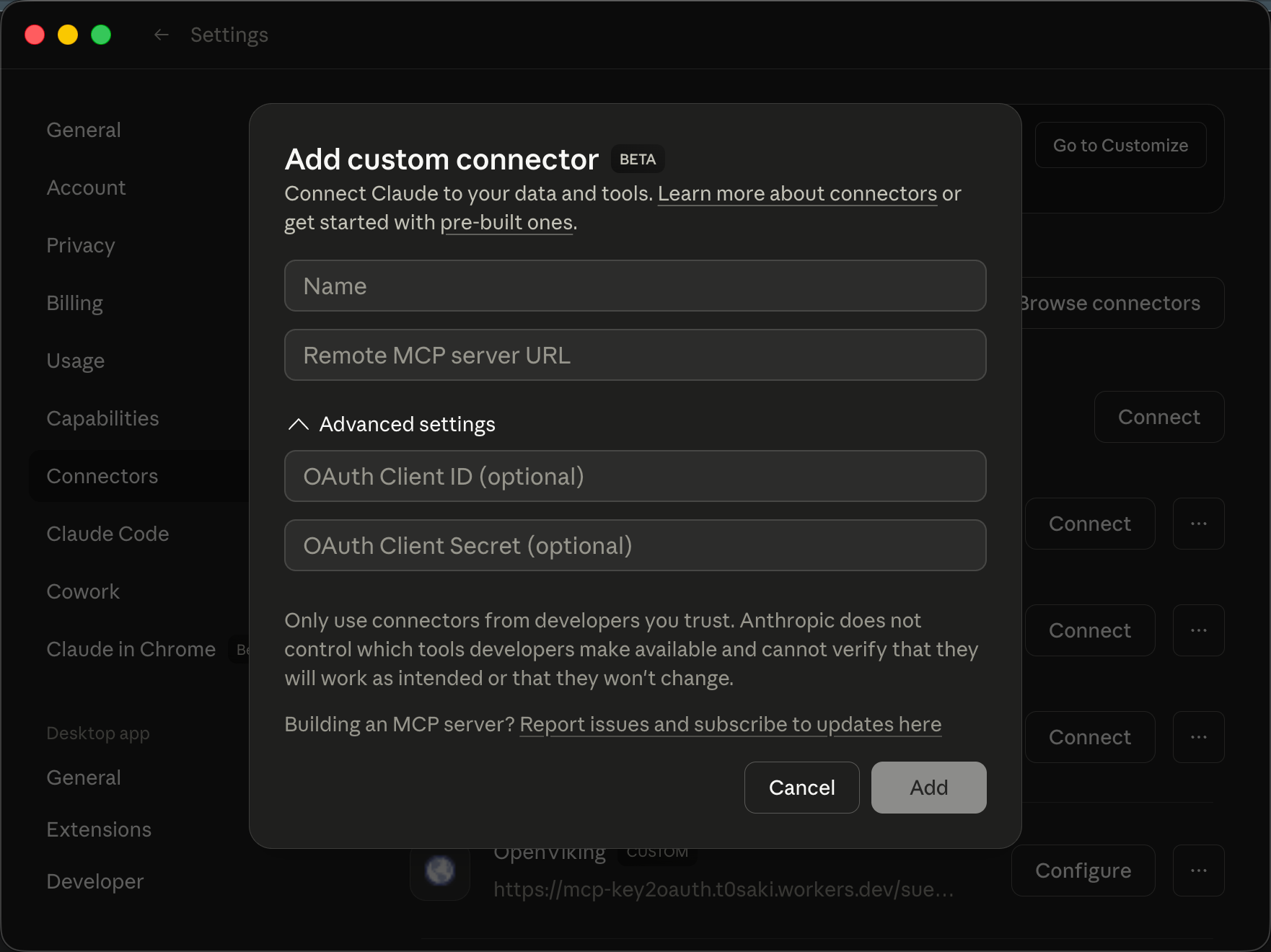
Claude (Web / Desktop Connector): Completely does not support header auth. OAuth is the only path, and there isn’t even an input field for an API key.
-
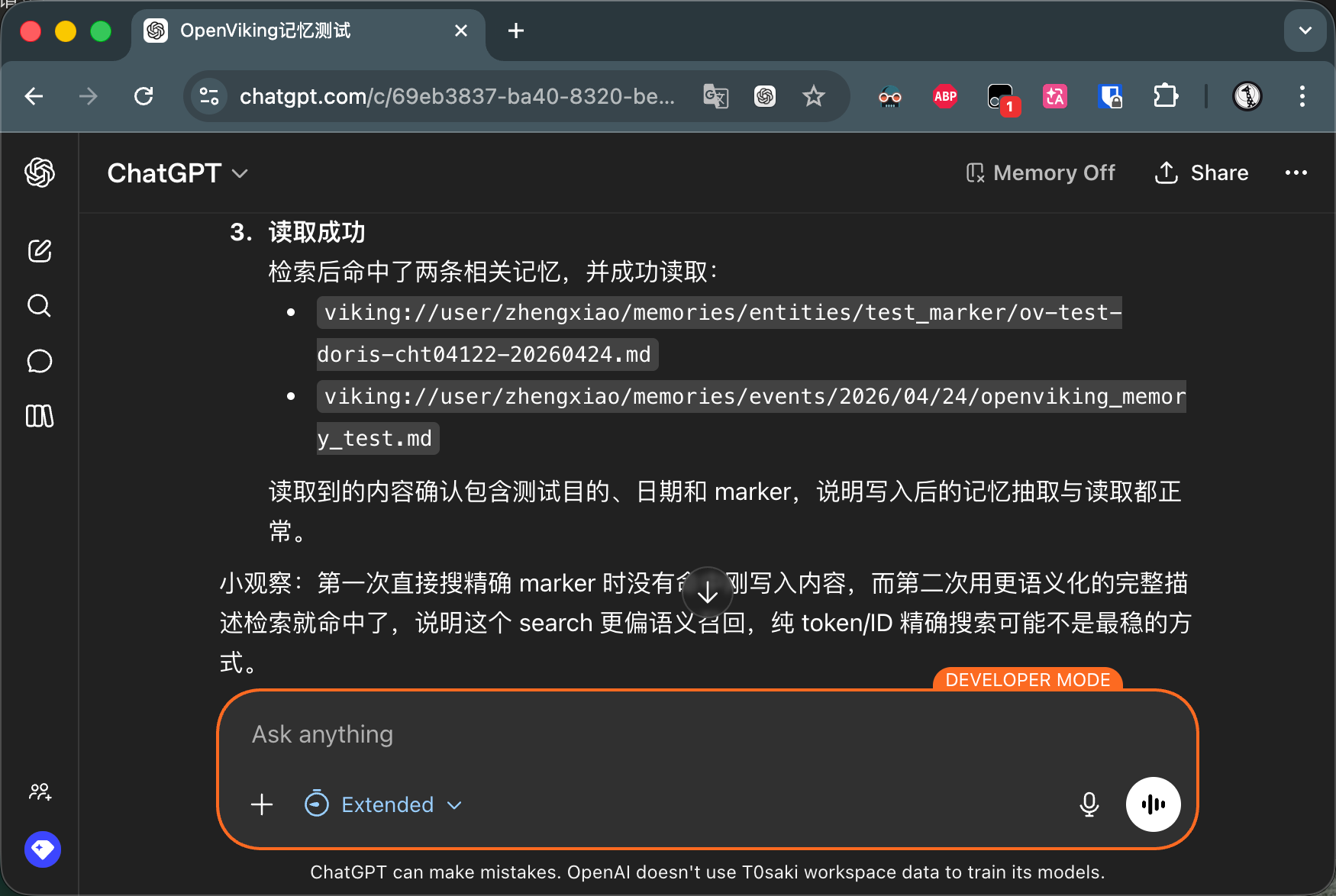
ChatGPT: Supports adding custom MCP servers and has a header option. But if you use “Developer Mode” to force integration, the frontend prominently warns users “this tool is unverified”; worse still, it disables the built-in memory feature entirely. Want to use it properly? You need to publish to its Apps platform, which requires review and only supports OAuth.
Initially, I didn’t have a deep understanding of OAuth. I naively assumed it was just “putting a header key somewhere else.” After digging deeper, I realized that OAuth 2.1’s authentication flow and simple API key auth are on completely different dimensions.
This means: If your MCP Server only accepts API keys, you simply cannot connect to major platforms’ official clients.
Dead-End Shortcuts
To avoid modifying the backend, several “shortcut” ideas flashed through my mind — all shot down by reality:
- Idea 1: Shove the API key into an OAuth field?
Claude’s UI has Client ID and Client Secret fields. My instinct: stuff the API key into Client Secret and have it pass through to the
Authorizationheader on requests. 👉 Result: Dream on. In OAuth, the Client Secret identifies the “client application” and is only used once when exchanging for a token at the/tokenendpoint. Claude would never use it as a Bearer Token on every subsequent API request. - Idea 2: Write the thinnest OAuth layer that returns the key as-is?
Since OAuth is required, what if I write a minimal
/authorizeendpoint where users submit their key and I return it directly as a token in the URL? 👉 Result: Killed by the spec. OAuth 2.1 completely deprecated Implicit Flow (where tokens are returned via URL), mandating Authorization Code + PKCE. You must go through every step: issue a code → exchange code for token → use token for requests. Skip any step and the client refuses to cooperate.
The Solution: Building a Bridge That’s Just Right
Since shortcuts were dead ends and I didn’t want to touch the backend, the only option was to add a proxy layer in front. The idea was clear:
- Facing MCP clients (Claude/ChatGPT): Implement a fully standard OAuth 2.1 flow (PKCE, Dynamic Client Registration, token endpoint — the works), so from the client’s perspective, security is airtight.
- Facing the upstream MCP Server: After obtaining the token, the proxy decrypts the user’s API key from it and reassembles it into a standard Bearer Token, forwarding it to the origin server.
Where does the user’s API key come from? During the OAuth authorization flow, I pop up a web authorization page where users manually paste their API key, which then gets encrypted and embedded in the OAuth token.
This approach not only works — it can be made into a universal tool! Any API-key-authenticated MCP Server can instantly “disguise” itself as OAuth-compatible just by putting this proxy in front.
And so the project was born: MCP-Key2OAuth.
Architecture: Creating Proxies Like Short Links
To make it user-friendly, I adopted a core model similar to “URL shortener services” — the Slug. All you need to do is enter your target MCP server’s address on the web page:
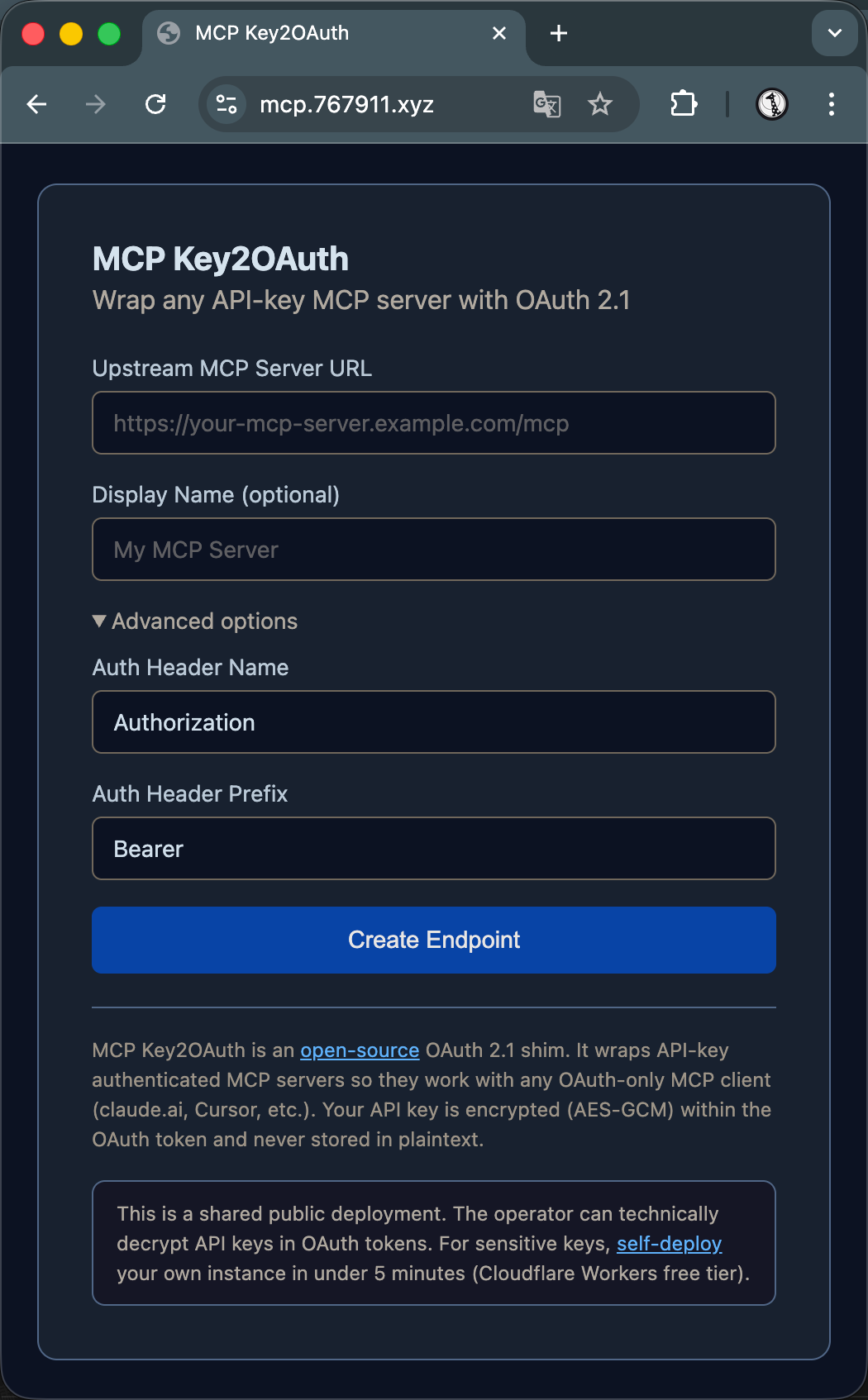
The system returns a dedicated proxy endpoint (e.g., .../a3x9k2m7p1q4/mcp). Paste this endpoint into your Claude client, and everything from there is fully automatic: the client auto-discovers the OAuth endpoints, pops up a page for the user to enter their API key, and smoothly establishes the connection.
The overall flow looks like this:
MCP Client ──(OAuth 2.1)──> Key2OAuth Worker ──(Bearer Token)──> Your MCP Server
                                    │
                          Pops up a web page
                       for user to enter API Key
Minimalist Tech Stack and “Dynamic Routing” Magic
The project runs on Cloudflare Workers (serverless edge nodes with ultra-fast cold starts). It relies heavily on Cloudflare’s open-source @cloudflare/workers-oauth-provider, which handles 80% of the heavy lifting — PKCE validation, DCR (Dynamic Client Registration), CORS, and more — paired with Hono for routing and page rendering.
The biggest challenge during development was routing.
Each slug has its own endpoint path (/{slug}/mcp), but the OAuth library requires a fixed apiRoute at initialization for auth interception. Slugs are dynamically created by users at any time — how would I know all the routes at startup?
My solution looked “wasteful” but was extremely effective — dynamically instantiate an OAuthProvider for each incoming request.
// 伪代码演示
const slug = extractSlugFromPath(url.pathname);
let apiRoute = '/__internal_no_match__';

if (slug) {
  const config = await env.SLUG_KV.get(`slug:${slug}`);
  if (config) apiRoute = `/${slug}/mcp`;
}

// 动态创建实例
const provider = new OAuthProvider({
  apiRoute,
  // ... 其他配置
});
return provider.fetch(request, env, ctx);
This isn’t actually wasteful because the OAuthProvider constructor is a pure function with no I/O operations. All persistent state lives in Cloudflare KV, and the instance itself is completely stateless.
With this approach, the library handles most of the flow automatically — from client request initiation and auto-registration to authorization page redirect and token exchange. I only needed to write the 20% “glue code” (authorization page rendering and the final proxy pass-through logic).
Pitfall Log: Theory Meets Reality
Before the entire flow worked end-to-end, I hit several maddening pitfalls:
-
The Colon in UserId That Caused a Bloodbath The OAuth library generates tokens in the format
userId:grantId:secret, split into 3 segments by colons. I casually set the UserId to${slug}:${keyHash}. Surprise — the token now had 4 segments, and Token Exchange immediately threwInvalid authorization code format. Switching to underscores fixed it. This kind of bug is impossible to catch with unit tests — only a full end-to-end run exposes it. -
Trying to Skip the Authorization Page? Slapped Down by Source Code Again I fantasized once more: what if users put their API key in Claude UI’s Client Secret field, and I extract it at the
/tokenendpoint? No authorization page needed! After reading the library’s source code, I gave up: when validating theclient_secret, after doing the SHA-256 hash comparison, it immediately discards the plaintext! The callback function has no access to the original value. And during dynamic registration, the secret is a random string generated by the library — users never get a chance to inject their own key. -
Wrangler CLI Mysteries While writing the one-click deployment script, I tried using
wrangler kv namespace create --jsonto parse the returned namespace ID. Turns out the--jsonflag documented in the docs simply doesn’t exist. I ended up brutally extracting it withgrep '"id": "xxx"'.
Security Model: Honesty Over Hype
Initially, I wanted to build a “zero-trust” relay tool where the backend never stores API keys. But as I deepened my understanding of the protocol and progressed through development, I realized this was nearly impossible. The final approach is more like:
- API keys aren’t stored in plaintext, but they are AES-GCM encrypted and stored in the OAuth Grant within KV.
- The Worker’s deployer (i.e., me) holds the encryption key and is technically capable of decryption.
So I put up a very prominent disclaimer on the page:
“This is a shared public deployment. The operator can technically decrypt API keys in OAuth tokens. For sensitive keys, self-deploy your own instance in under 5 minutes (Cloudflare Workers free tier).”
An honest trust model is far more valuable than an illusion of security.
Of course, I’ve implemented all the baseline protections: SSRF prevention (blocking private IP requests), anti-enumeration (12-character cryptographically random slug IDs), instant revocation (the proxy doesn’t cache — the moment the origin revokes a token, it’s immediately ineffective). I’ve also provided an extremely simple one-click deploy to Cloudflare button on GitHub, so security-conscious developers can spin up their own dedicated proxy in 5 minutes.
Summary and Future Plans
The entire project amounts to just 520 lines of TypeScript, 8 source files, deployed on a single Cloudflare Worker.
- 🚀 Live Demo: mcp.767911.xyz
- 🐙 Open Source on GitHub: t0saki/MCP-Key2OAuth (Stars, feedback, and self-deployments welcome!)
From my research, while tools like mcp-front exist, they take the IdP (Identity Provider) route and are better suited for enterprise SSO setups. My project fills a very specific niche: helping individuals and small teams get their API-key-only MCP servers online quickly, compatible with all the strict clients, without changing a single line of backend code.
This is a great start — it has already solved the integration problem for Claude, Cursor, and other clients.
As for ChatGPT? Its “Developer Mode” remains a headache. But with MCP-Key2OAuth’s architecture as a foundation, the natural next step is to build a dedicated proxy product for OpenViking. When the proxy is no longer a “generic tool” but a product with a clear use case (e.g., “providing long-term memory for ChatGPT”), the chances of passing the ChatGPT Apps platform review are significantly higher.
Sometimes, when facing two incompatible worlds, the best solution isn’t to rebuild existing systems — it’s to build a bridge that’s light enough and just right.
Screenshots